
Can I make one of the options in the bundle a free gift?
Can I Make One of the Options in My Bundle a Free Gift?
Yes. There are two ways to offer a free item as part of your BYOB bundle, depending on how you want the gift to work.
Option 1: Use a Shopify Buy X Get Y (BXGY) Discount
If you want customers to receive a free item based on the products they select, you can create a Buy X Get Y (BXGY) discount in Shopify and pair it with your bundle.
Once you have created your discount code:
- Open the BYOB app.
- Click Edit Bundle on the bundle you want to update.
- Navigate to Discounts.
- Select Pair with discount code.
- Choose or enter your Shopify BXGY discount code.
- Save your changes.
The discount will then be applied according to the rules you configured in Shopify.
Option 2: Add an Included Item
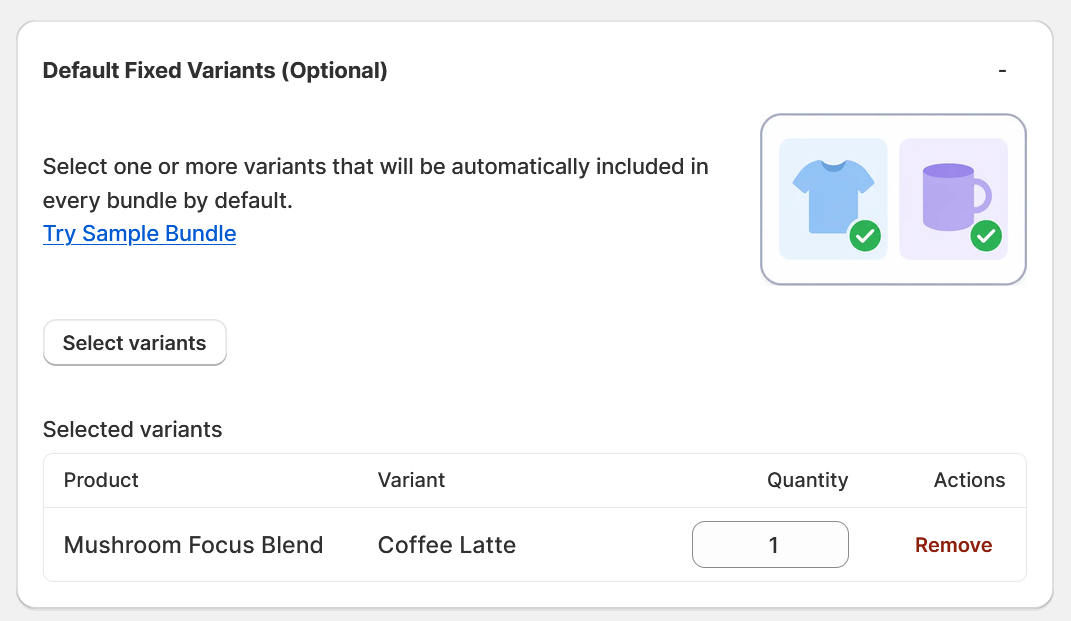
BYOB also allows you to add Included Items to your bundles. Included Items are products or variants that are pre-selected and automatically included before the customer makes their own selections.
You can set the price of an included item to $0, allowing customers to receive it automatically as a simple free item. Included Items can also be used alongside customer-selectable products to create a hybrid bundle.
To add an Included Item:
- Open the BYOB app and edit your bundle.
- Add the product variant you want to include as an Included Item.
- Set the included item's price to $0.
- Save your changes.
The free item will be included automatically when customers build their bundle.
Note: The Included Items feature is available on the Embed Widget and the latest Cart Transformation. The Standard plan supports one included item, while the Advanced plan supports multiple included items.
 Which Option Should I Use?
 Which Option Should I Use?
Use a Shopify BXGY discount if you need more control over the conditions and rules for your free gift.
Use an Included Item if you simply want to automatically add a specific product or variant to the bundle at no additional cost.
If you need help deciding which option is best for your bundle, please contact our support team.